
The auto shop owner contacted me because he wasn't satisfied with the results from an account someone else was managing. The account had separate campaigns for suspension and air conditioning repair. Both services are probably worth advertising, but I would typically begin a general repair shop account by targeting searches such as “auto repair near me” and “car repair near me.” A service-specific campaign may make sense as an additional test, especially when a shop wants more of a particular kind of work.
A relevant keyword doesn't tell the whole story in Google Ads
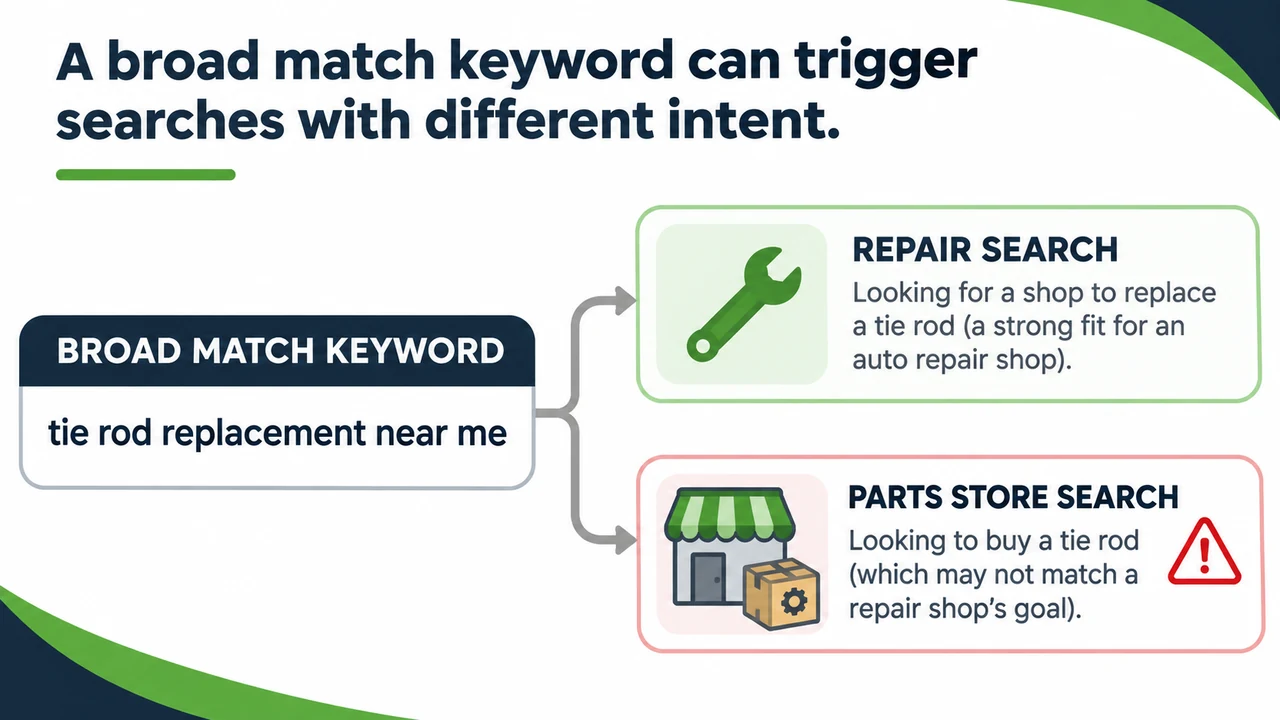
In the suspension campaign, one broad match keyword was “tie rod replacement near me.” On its face, that sounds relevant to an auto repair shop. But it had spent about $1,500 over the previous 30 days and accounted for a high percentage of the campaign's activity. That concentration gave me a reason to investigate the actual search terms.
Think of the keyword list as the outside of a car. It can give you a first impression, but it won't necessarily reveal what is happening under the hood. The search terms report shows searches associated with your ads and gives you a more useful view of whether the traffic fits the work you want.
What the search terms revealed
When I sorted the suspension campaign's search terms by impressions, the leading terms included names of auto parts retailers and other automotive businesses. Someone searching for a parts store is likely looking to buy a part, rather than book a repair. A competitor's name can reflect different intents also. In this account, those searches didn't look like a good fit for a campaign focused on suspension work. One parts-store search term alone had spent almost $200 in the prior 30 days.
An air conditioning campaign showed a similar pattern. Its higher-volume broad keywords were related to car AC problems, but the search terms included parts stores and mobile mechanic searches. The business didn't offer mobile mechanic service, so that traffic wasn't aligned with what it could provide and also didn't fit the campaign intent. These examples don't mean every broad match keyword is a problem; they show why its actual search traffic deserves review.
How to review your own account

Start with campaigns or keywords receiving a large share of your spend. Open their search terms and ask whether the person searching is likely looking for the service you actually offer. Pay attention to retailer names, do-it-yourself questions, services you don't provide, and other patterns that may point to a mismatch. Context matters: a competitor search could be useful to one advertiser and a poor fit for another.
Use what you find to guide your next decisions about keywords, match types, and negative keywords. Then keep checking the account rather than assuming one adjustment has solved everything. Search relevance is an important part of the picture, but clicks and recorded conversions still need to be evaluated alongside the quality of inquiries and the jobs your business actually books.
If you're managing your own campaigns, the video above walks through the account and examples in more detail. If you'd like help reviewing or managing your Google Ads, you can learn more about my Google Ads management and pricing.